 <\/a>\u00a0Please check below the instructions to reset toner after refilling :<\/p>\n
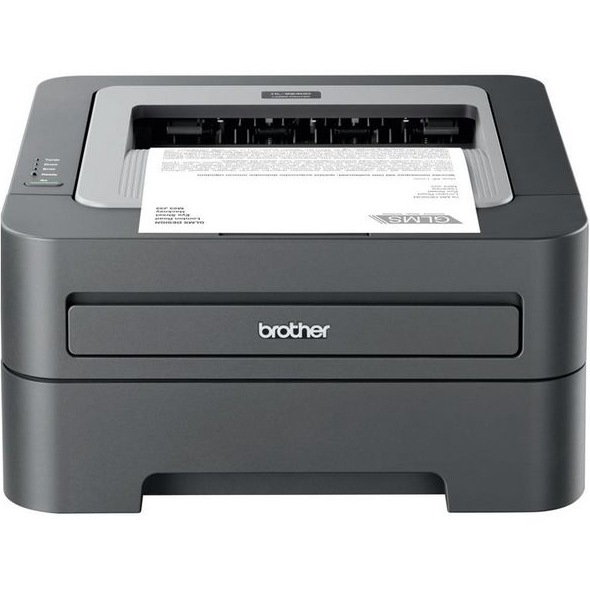
1. Turn your Brother HL-2240 off<\/p>\n
2. Open the front cover of the printer<\/p>\n
3. Press and hold Go and turn power on. Do not let the button go.<\/p>\n
4. When all 3 lights light up, release the Go button.<\/p>","protected":false},"excerpt":{"rendered":null,"protected":false},"author":61,"featured_media":0,"comment_status":"open","ping_status":"open","sticky":false,"template":"","format":"standard","meta":{"footnotes":""},"categories":[16],"tags":[138,139,135,137,140],"class_list":["post-1384","post","type-post","status-publish","format-standard","hentry","category-brother-cartridges","tag-brother-hl-2270","tag-brother-hl-2270-printer","tag-brother-hl-2270dw-ink","tag-brother-hl-2270dw-ink-cartridges","tag-brother-hl-2270dw-ink-refills"],"_links":{"self":[{"href":"https:\/\/blog.atlanticinkjet.com\/wp-json\/wp\/v2\/posts\/1384","targetHints":{"allow":["GET"]}}],"collection":[{"href":"https:\/\/blog.atlanticinkjet.com\/wp-json\/wp\/v2\/posts"}],"about":[{"href":"https:\/\/blog.atlanticinkjet.com\/wp-json\/wp\/v2\/types\/post"}],"author":[{"embeddable":true,"href":"https:\/\/blog.atlanticinkjet.com\/wp-json\/wp\/v2\/users\/61"}],"replies":[{"embeddable":true,"href":"https:\/\/blog.atlanticinkjet.com\/wp-json\/wp\/v2\/comments?post=1384"}],"version-history":[{"count":0,"href":"https:\/\/blog.atlanticinkjet.com\/wp-json\/wp\/v2\/posts\/1384\/revisions"}],"wp:attachment":[{"href":"https:\/\/blog.atlanticinkjet.com\/wp-json\/wp\/v2\/media?parent=1384"}],"wp:term":[{"taxonomy":"category","embeddable":true,"href":"https:\/\/blog.atlanticinkjet.com\/wp-json\/wp\/v2\/categories?post=1384"},{"taxonomy":"post_tag","embeddable":true,"href":"https:\/\/blog.atlanticinkjet.com\/wp-json\/wp\/v2\/tags?post=1384"}],"curies":[{"name":"wp","href":"https:\/\/api.w.org\/{rel}","templated":true}]}}
 Please check below the instructions to reset toner after refilling :
 <\/a>\u00a0Please check below the instructions to reset toner after refilling :<\/p>\n