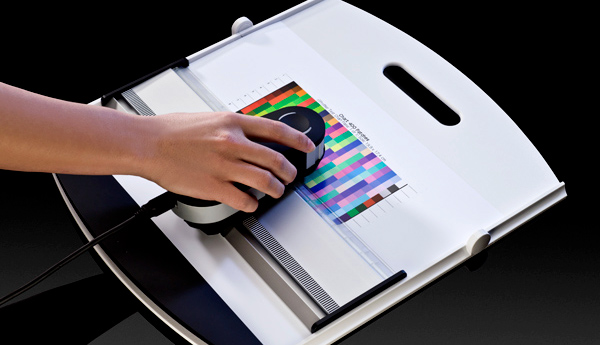
There are times when the photo that you print doesn’t look the same as it does in the computer. This is most probably because when the ink hits the paper, the combination of the colors and the texture of the paper produces its own color. For instance, the black, cyan, magenta, and yellow colors from Brother HL-2270dw cartridges have their own whiteness, density, and reflection making them different from what you expect from the screen.
{"id":3464,"date":"2018-07-21T02:59:14","date_gmt":"2018-07-21T07:59:14","guid":{"rendered":"https:\/\/blog.atlanticinkjet.com\/?p=3464"},"modified":"2018-07-21T03:00:27","modified_gmt":"2018-07-21T08:00:27","slug":"how-to-calibrate-your-photo-printer","status":"publish","type":"post","link":"https:\/\/blog.atlanticinkjet.com\/choose-by-brand\/brother-cartridges\/how-to-calibrate-your-photo-printer.html","title":{"rendered":"How to Calibrate Your Photo Printer"},"content":{"rendered":"There are times when the photo that you print doesn\u2019t look the same as it does in the computer. This is most probably because when the ink hits the paper, the combination of the colors and the texture of the paper produces its own color. For instance, the black, cyan, magenta, and yellow colors from Brother HL-2270dw cartridges<\/a> have their own whiteness, density, and reflection making them different from what you expect from the screen.<\/p>","protected":false},"excerpt":{"rendered":null,"protected":false},"author":61,"featured_media":0,"comment_status":"open","ping_status":"open","sticky":false,"template":"","format":"standard","meta":{"footnotes":""},"categories":[16],"tags":[134,135],"class_list":["post-3464","post","type-post","status-publish","format-standard","hentry","category-brother-cartridges","tag-brother-hl-2270dw","tag-brother-hl-2270dw-ink"],"_links":{"self":[{"href":"https:\/\/blog.atlanticinkjet.com\/wp-json\/wp\/v2\/posts\/3464","targetHints":{"allow":["GET"]}}],"collection":[{"href":"https:\/\/blog.atlanticinkjet.com\/wp-json\/wp\/v2\/posts"}],"about":[{"href":"https:\/\/blog.atlanticinkjet.com\/wp-json\/wp\/v2\/types\/post"}],"author":[{"embeddable":true,"href":"https:\/\/blog.atlanticinkjet.com\/wp-json\/wp\/v2\/users\/61"}],"replies":[{"embeddable":true,"href":"https:\/\/blog.atlanticinkjet.com\/wp-json\/wp\/v2\/comments?post=3464"}],"version-history":[{"count":0,"href":"https:\/\/blog.atlanticinkjet.com\/wp-json\/wp\/v2\/posts\/3464\/revisions"}],"wp:attachment":[{"href":"https:\/\/blog.atlanticinkjet.com\/wp-json\/wp\/v2\/media?parent=3464"}],"wp:term":[{"taxonomy":"category","embeddable":true,"href":"https:\/\/blog.atlanticinkjet.com\/wp-json\/wp\/v2\/categories?post=3464"},{"taxonomy":"post_tag","embeddable":true,"href":"https:\/\/blog.atlanticinkjet.com\/wp-json\/wp\/v2\/tags?post=3464"}],"curies":[{"name":"wp","href":"https:\/\/api.w.org\/{rel}","templated":true}]}} <\/a><\/p>\n