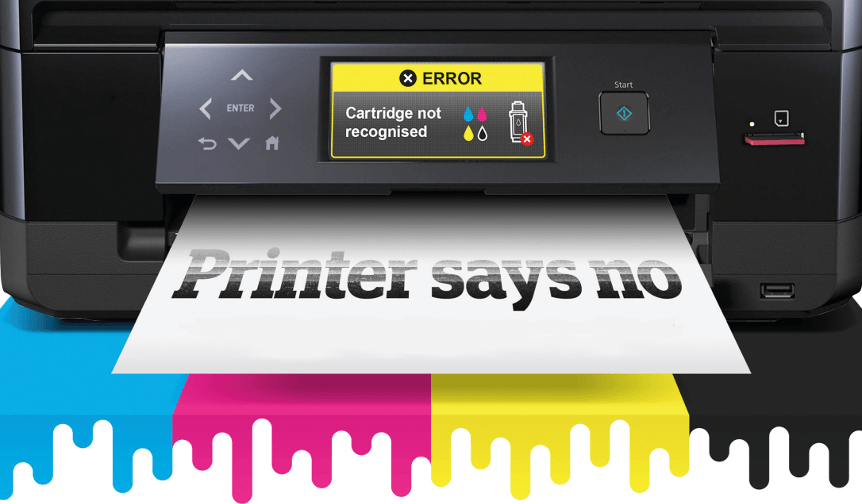
HP has released plenty of software updates to their Inkjet printers. Due to that, it has now gained the attention of the media. Software Updates is HP's effort to slow if not lessen the increase of generic cartridges in the market. Once the updates are installed to the printer, generic cartridges will no longer be accepted. The HP Deskjet 3510 cartridges and other HP cartridges will be the only ones accepted. This installation usually happens without the customer knowing. You will now need to purchase HP Deskjet 3510 cartridges for your HP printer.
{"id":3510,"date":"2018-10-15T11:27:46","date_gmt":"2018-10-15T16:27:46","guid":{"rendered":"https:\/\/blog.atlanticinkjet.com\/?p=3510"},"modified":"2018-10-23T09:35:00","modified_gmt":"2018-10-23T14:35:00","slug":"what-to-do-when-hp-printer-rejects-cartridge-2","status":"publish","type":"post","link":"https:\/\/blog.atlanticinkjet.com\/choose-by-brand\/hphewlett-packard-cartridges\/what-to-do-when-hp-printer-rejects-cartridge-2.html","title":{"rendered":"What to Do When HP Printer Rejects Cartridge"},"content":{"rendered":"HP has released plenty of software updates to their Inkjet printers. Due to that, it has now gained the attention of the media. Software Updates is HP's effort to slow if not lessen the increase of generic cartridges in the market. Once the updates are installed to the printer, generic cartridges will no longer be accepted. The HP Deskjet 3510 cartridges <\/a><\/strong>and other HP cartridges will be the only ones accepted. This installation usually happens without the customer knowing. You will now need to purchase HP Deskjet 3510 cartridges for your HP printer.<\/p>","protected":false},"excerpt":{"rendered":null,"protected":false},"author":61,"featured_media":0,"comment_status":"open","ping_status":"open","sticky":false,"template":"","format":"standard","meta":{"footnotes":""},"categories":[20],"tags":[186,123,124],"class_list":["post-3510","post","type-post","status-publish","format-standard","hentry","category-hphewlett-packard-cartridges","tag-hp-deskjet-3510","tag-hp-deskjet-3510-ink","tag-hp-deskjet-3510-ink-cartridges"],"_links":{"self":[{"href":"https:\/\/blog.atlanticinkjet.com\/wp-json\/wp\/v2\/posts\/3510","targetHints":{"allow":["GET"]}}],"collection":[{"href":"https:\/\/blog.atlanticinkjet.com\/wp-json\/wp\/v2\/posts"}],"about":[{"href":"https:\/\/blog.atlanticinkjet.com\/wp-json\/wp\/v2\/types\/post"}],"author":[{"embeddable":true,"href":"https:\/\/blog.atlanticinkjet.com\/wp-json\/wp\/v2\/users\/61"}],"replies":[{"embeddable":true,"href":"https:\/\/blog.atlanticinkjet.com\/wp-json\/wp\/v2\/comments?post=3510"}],"version-history":[{"count":0,"href":"https:\/\/blog.atlanticinkjet.com\/wp-json\/wp\/v2\/posts\/3510\/revisions"}],"wp:attachment":[{"href":"https:\/\/blog.atlanticinkjet.com\/wp-json\/wp\/v2\/media?parent=3510"}],"wp:term":[{"taxonomy":"category","embeddable":true,"href":"https:\/\/blog.atlanticinkjet.com\/wp-json\/wp\/v2\/categories?post=3510"},{"taxonomy":"post_tag","embeddable":true,"href":"https:\/\/blog.atlanticinkjet.com\/wp-json\/wp\/v2\/tags?post=3510"}],"curies":[{"name":"wp","href":"https:\/\/api.w.org\/{rel}","templated":true}]}} <\/a><\/p>\n