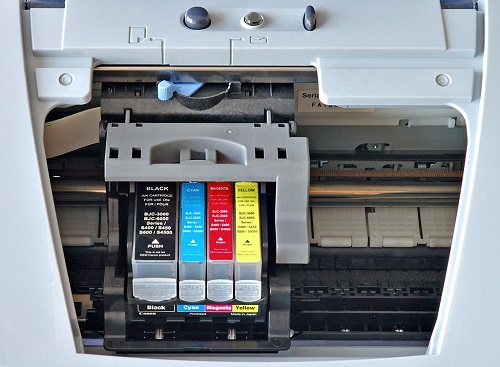
 Printers are normally an easy device to maintain. You can actually see a plethora of guides on the internet about how to handle your printers the right way. However, it is unavoidable that it may encounter problems that are not easy to fix.
{"id":3650,"date":"2019-08-10T07:36:43","date_gmt":"2019-08-10T12:36:43","guid":{"rendered":"https:\/\/blog.atlanticinkjet.com\/?p=3650"},"modified":"2019-08-19T07:54:27","modified_gmt":"2019-08-19T12:54:27","slug":"safety-tips-to-follow-when-using-printers","status":"publish","type":"post","link":"https:\/\/blog.atlanticinkjet.com\/choose-by-brand\/canon-cartridges\/safety-tips-to-follow-when-using-printers.html","title":{"rendered":"Safety Tips to Follow When Using Printers"},"content":{"rendered":" <\/a>Printers are normally an easy device to maintain. You can actually see a plethora of guides on the internet about how to handle your printers the right way. However, it is unavoidable that it may encounter problems that are not easy to fix.<\/p>","protected":false},"excerpt":{"rendered":null,"protected":false},"author":61,"featured_media":0,"comment_status":"open","ping_status":"open","sticky":false,"template":"","format":"standard","meta":{"footnotes":""},"categories":[17],"tags":[27],"class_list":["post-3650","post","type-post","status-publish","format-standard","hentry","category-canon-cartridges","tag-canon-inkjet-cartridges"],"_links":{"self":[{"href":"https:\/\/blog.atlanticinkjet.com\/wp-json\/wp\/v2\/posts\/3650","targetHints":{"allow":["GET"]}}],"collection":[{"href":"https:\/\/blog.atlanticinkjet.com\/wp-json\/wp\/v2\/posts"}],"about":[{"href":"https:\/\/blog.atlanticinkjet.com\/wp-json\/wp\/v2\/types\/post"}],"author":[{"embeddable":true,"href":"https:\/\/blog.atlanticinkjet.com\/wp-json\/wp\/v2\/users\/61"}],"replies":[{"embeddable":true,"href":"https:\/\/blog.atlanticinkjet.com\/wp-json\/wp\/v2\/comments?post=3650"}],"version-history":[{"count":0,"href":"https:\/\/blog.atlanticinkjet.com\/wp-json\/wp\/v2\/posts\/3650\/revisions"}],"wp:attachment":[{"href":"https:\/\/blog.atlanticinkjet.com\/wp-json\/wp\/v2\/media?parent=3650"}],"wp:term":[{"taxonomy":"category","embeddable":true,"href":"https:\/\/blog.atlanticinkjet.com\/wp-json\/wp\/v2\/categories?post=3650"},{"taxonomy":"post_tag","embeddable":true,"href":"https:\/\/blog.atlanticinkjet.com\/wp-json\/wp\/v2\/tags?post=3650"}],"curies":[{"name":"wp","href":"https:\/\/api.w.org\/{rel}","templated":true}]}}