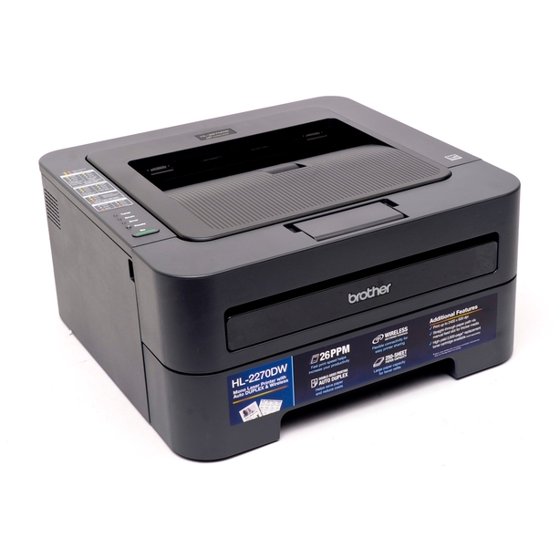
<p style="text-align: justify;"><a href="https://blog.atlanticinkjet.com/wp-content/uploads/2019/10/brother_hl-2270dw_printer.jpeg"><img loading="lazy" decoding="async" class=" wp-image-3669 alignleft" src="https://blog.atlanticinkjet.com/wp-content/uploads/2019/10/brother_hl-2270dw_printer.jpeg" alt="brother_hl-2270dw_printer" width="386" height="386" srcset="https://blog.atlanticinkjet.com/wp-content/uploads/2019/10/brother_hl-2270dw_printer.jpeg 560w, https://blog.atlanticinkjet.com/wp-content/uploads/2019/10/brother_hl-2270dw_printer-150x150.jpeg 150w, https://blog.atlanticinkjet.com/wp-content/uploads/2019/10/brother_hl-2270dw_printer-300x300.jpeg 300w" sizes="auto, (max-width: 386px) 100vw, 386px" /></a>You might have noticed that after printing several papers using your Brother printer, the final print looks nowhere close to the one displayed on your computer screen. If that’s the case, then it’s possible that upon hitting the paper, your <strong><a href="https://atlanticinkjet.com/cic/eg/tonerprinter.php?printer=Brother+HL-2270dw">Brother HL-2270dw ink</a></strong>, for example, produced a different color combination coupled by the texture of the paper you’re using.</p>{"id":3668,"date":"2019-10-10T02:32:59","date_gmt":"2019-10-10T07:32:59","guid":{"rendered":"https:\/\/blog.atlanticinkjet.com\/?p=3668"},"modified":"2019-10-10T02:32:59","modified_gmt":"2019-10-10T07:32:59","slug":"basic-photo-printer-calibration-guide-for-your-brother-printer","status":"publish","type":"post","link":"https:\/\/blog.atlanticinkjet.com\/choose-by-brand\/brother-cartridges\/basic-photo-printer-calibration-guide-for-your-brother-printer.html","title":{"rendered":"Basic Photo Printer Calibration Guide for Your Brother Printer"},"content":{"rendered":"<p style=\"text-align: justify;\"><a href=\"https:\/\/blog.atlanticinkjet.com\/wp-content\/uploads\/2019\/10\/brother_hl-2270dw_printer.jpeg\"><img loading=\"lazy\" decoding=\"async\" class=\" wp-image-3669 alignleft\" src=\"https:\/\/blog.atlanticinkjet.com\/wp-content\/uploads\/2019\/10\/brother_hl-2270dw_printer.jpeg\" alt=\"brother_hl-2270dw_printer\" width=\"386\" height=\"386\" srcset=\"https:\/\/blog.atlanticinkjet.com\/wp-content\/uploads\/2019\/10\/brother_hl-2270dw_printer.jpeg 560w, https:\/\/blog.atlanticinkjet.com\/wp-content\/uploads\/2019\/10\/brother_hl-2270dw_printer-150x150.jpeg 150w, https:\/\/blog.atlanticinkjet.com\/wp-content\/uploads\/2019\/10\/brother_hl-2270dw_printer-300x300.jpeg 300w\" sizes=\"auto, (max-width: 386px) 100vw, 386px\" \/><\/a>You might have noticed that after printing several papers using your Brother printer, the final print looks nowhere close to the one displayed on your computer screen. If that\u2019s the case, then it\u2019s possible that upon hitting the paper, your <strong><a href=\"https:\/\/atlanticinkjet.com\/cic\/eg\/tonerprinter.php?printer=Brother+HL-2270dw\">Brother HL-2270dw ink<\/a><\/strong>, for example, produced a different color combination coupled by the texture of the paper you\u2019re using.<\/p>","protected":false},"excerpt":{"rendered":null,"protected":false},"author":61,"featured_media":0,"comment_status":"open","ping_status":"open","sticky":false,"template":"","format":"standard","meta":{"footnotes":""},"categories":[16],"tags":[134,135,118],"class_list":["post-3668","post","type-post","status-publish","format-standard","hentry","category-brother-cartridges","tag-brother-hl-2270dw","tag-brother-hl-2270dw-ink","tag-brother-printers"],"_links":{"self":[{"href":"https:\/\/blog.atlanticinkjet.com\/wp-json\/wp\/v2\/posts\/3668","targetHints":{"allow":["GET"]}}],"collection":[{"href":"https:\/\/blog.atlanticinkjet.com\/wp-json\/wp\/v2\/posts"}],"about":[{"href":"https:\/\/blog.atlanticinkjet.com\/wp-json\/wp\/v2\/types\/post"}],"author":[{"embeddable":true,"href":"https:\/\/blog.atlanticinkjet.com\/wp-json\/wp\/v2\/users\/61"}],"replies":[{"embeddable":true,"href":"https:\/\/blog.atlanticinkjet.com\/wp-json\/wp\/v2\/comments?post=3668"}],"version-history":[{"count":0,"href":"https:\/\/blog.atlanticinkjet.com\/wp-json\/wp\/v2\/posts\/3668\/revisions"}],"wp:attachment":[{"href":"https:\/\/blog.atlanticinkjet.com\/wp-json\/wp\/v2\/media?parent=3668"}],"wp:term":[{"taxonomy":"category","embeddable":true,"href":"https:\/\/blog.atlanticinkjet.com\/wp-json\/wp\/v2\/categories?post=3668"},{"taxonomy":"post_tag","embeddable":true,"href":"https:\/\/blog.atlanticinkjet.com\/wp-json\/wp\/v2\/tags?post=3668"}],"curies":[{"name":"wp","href":"https:\/\/api.w.org\/{rel}","templated":true}]}}